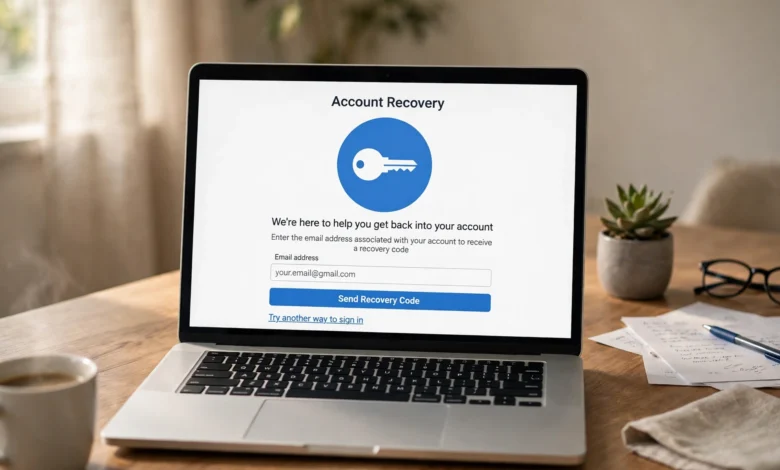
If your Yahoo login has stopped working and the usual password reset is not helping, the fastest legitimate way back in is Yahoo’s official Sign-in Helper: enter your Yahoo email address, phone number or username, and follow the prompts to receive a verification code on your recovery phone or email, which costs nothing and never requires a support agent. When you no longer have access to those recovery options either, the helper offers an alternate identity-proofing route, and knowing exactly which steps are real — and which are scam bait — is what separates a safe recovery from a costly mistake, as of October 2026.


Can’t Log In to Yahoo? Start Here
When the Yahoo login screen rejects you, stop hammering the password and open the official Sign-in Helper instead: type your Yahoo email address, phone number or username into the helper, and Yahoo will send a verification code to your registered recovery phone or email so you can prove ownership and reset your access without guessing. This official recovery path is completely free, it never asks for payment, and it is the only recovery channel Yahoo itself operates — anything that charges you money or asks you to download software is not Yahoo, no matter how official it looks.
Before you start the recovery, rule out the easy causes that masquerade as account problems: try signing in on a different browser or device, check that Caps Lock is off and your keyboard layout has not switched languages, clear your browser’s cache and cookies, and temporarily disable any VPN or ad-blocker that might be interfering with Yahoo’s sign-in flow. If you recently changed your password on another device, remember that your phone’s mail app and saved sessions can keep using the old password for hours, which is often the real reason behind repeated “wrong password” errors rather than a hacked account.
What to Do When You Have No Access to Your Recovery Phone or Email
The scenario people fear most — a lost phone number or a dead alternate email — is exactly what the helper’s alternate route is built for: in the Sign-in Helper, choose the option that says you do not have access to your recovery phone or email, and Yahoo will ask you to provide an alternate contact address plus details that only the real account owner would know, such as the security questions you set years ago or specifics about your recent account activity. Patience matters enormously here during a Yahoo login recovery, because this identity review can take time and the details you supply must match what Yahoo has on file for the verification to succeed.
While that review is underway, gather every scrap of ownership evidence you can find: old emails sent from the account, the approximate month and year you created it, devices and locations you commonly signed in from, contacts you emailed recently, and any billing or subscription details tied to the address. The more of these details line up with Yahoo’s records, the stronger your case becomes, so resist the temptation to rush through the questions — a careful, accurate submission on the first attempt resolves the case far faster than repeated sloppy tries that trigger additional scrutiny.
Account Key and Passwordless Recovery
If you enabled Yahoo Account Key before the lockout — the passwordless tap-to-approve sign-in feature — it can be your fastest way back in: simply approve the notification Yahoo pushes to your trusted phone and you are signed in without typing a single character of a password. But there is a catch the official guidance makes very clear: Account Key only helps if you switched it on in advance, because it cannot be activated retroactively once you are already locked out, which is why security-conscious users are advised to enable it during a calm moment while they still have full access.
Once you are back inside your account, take five minutes to future-proof it: open your account security settings and switch on Account Key, confirm that your recovery phone and alternate email are current, and keep at least one backup sign-in method active so that a single lost device can never lock you out again. Think of Account Key as a spare house key you cut before the emergency rather than after — it is the difference between a two-tap recovery and a multi-day identity-proofing process the next time something goes wrong.
Temporary Locks: What NOT to Do
Yahoo temporarily locks accounts after repeated failed sign-in attempts or suspicious activity, and the single worst thing you can do in that moment is keep trying passwords — every additional failed attempt can extend the lock, quietly turning what would have been a twelve-hour cool-down into several days of enforced waiting. The correct move is counterintuitive but simple: stop completely, wait out the lock period, and then run the Sign-in Helper exactly once in a calm session, because a fresh attempt after the lock has cleared succeeds far more often than a flurry of frantic retries.
Use the waiting time productively instead of staring at the login screen: scan your devices for malware that might be harvesting keystrokes, change the passwords on any other accounts where you reused the same Yahoo password, and steel yourself against the “express unlock” services that advertise themselves precisely when people are desperate. No third party can lift a Yahoo temporary lock faster than Yahoo’s own timer, so anyone promising to do so is selling you nothing — or worse, is setting you up for the support scams described below.
How to Spot Fake Yahoo Support Scams
Yahoo publishes no single general support phone number, so any “Yahoo support number” you see in an advertisement, a pop-up, a social-media reply or even a sponsored search result is an immediate red flag: legitimate phone assistance exists only for certain users and plans and only inside Yahoo’s official support process, never through a number shouted at you from a pop-up window. A genuine Yahoo support agent will never ask for your full password, will never ask you to read back a one-time verification code, will never request that you install remote-access software, and will never ask for gift cards, cryptocurrency or wire transfers — if anyone on the line demands any of those things, you are talking to a scammer and should hang up at once, as the US Federal Trade Commission’s tech support scam guidance confirms.
These scams hunt exactly where panicked users gather: fake “account suspended” pop-ups that freeze your browser, sponsored results above Yahoo’s own help pages, and direct-message replies on social platforms from accounts impersonating Yahoo Care. The safe response never varies: close the pop-up without clicking anything inside it, navigate to Yahoo’s own help pages by typing the address yourself, and remember that real Yahoo account recovery is always free — the moment money enters the conversation, the conversation is a fraud, and reporting the attempt helps protect the next person who searches for help.
Mail Client Sync Fixes (IMAP, App Passwords, OAuth)
Sometimes the Yahoo login works perfectly in a web browser while your phone’s mail app or desktop email client stubbornly refuses to connect — and that is usually a sync-settings problem rather than a hacked account, so do not reset your password a fourth time before checking the configuration. Verify that your IMAP, POP and SMTP server settings use SSL or TLS encryption with the correct ports, and check whether the app is still trying to sign in with your regular password where Yahoo now expects its modern sign-in flow. Third-party apps are meant to be re-authorized through Yahoo’s OAuth process instead of storing your password, and for older clients that cannot complete that flow, Yahoo supports generating a dedicated app password that works in place of your real one.
If the settings all look correct, work through the client-side checklist methodically: remove the Yahoo account from the app entirely and add it back fresh, clear the app’s cache and stored credentials, temporarily disable any VPN or ad-blocker that might be mangling the connection, and check Yahoo’s service status pages for an ongoing outage before assuming the fault is yours. Nine times out of ten, one of these steps resolves the stubborn “login failed” loop — and if the account signs in fine on the web throughout, you can be confident the password itself was never the problem.
Keep Your Recovery Info Current
Almost every “impossible” Yahoo login recovery becomes possible again when the recovery details are current, so while you are signed in today, open your account security settings and confirm that the recovery phone number and alternate email address listed are ones you genuinely control right now — not a number you abandoned three phones ago or an inbox you have not opened since 2019. Outdated recovery information is the single most common reason legitimate owners fail the identity-proofing step, and updating it takes under two minutes, which makes it the highest-value security chore you can do for any email account you own.
Build yourself a small recovery kit while you are at it: store your two-factor backup codes somewhere safe — printed and filed, or inside a reputable password manager — because those codes are your last resort when both phone and email are unreachable. Keep your alternate email’s own recovery details fresh too, since a Yahoo login recovery chain is only as strong as its weakest link, and set a twice-yearly reminder to review all of it. Future you, locked out at midnight before a deadline, will be enormously grateful that present you spent ten quiet minutes on this.
Conclusion
Getting locked out of a Yahoo login feels like losing the front door to your digital life, but the system is genuinely built to let the real owner back in: the free Sign-in Helper covers the standard cases, the alternate identity-proofing route covers the hard ones, Account Key rewards anyone who prepared in advance, and patient handling of temporary locks beats frantic password-guessing every time. The dangers in this process are rarely technical — they are the paid “recovery” services, the fake support numbers and the remote-access scammers who circle anyone desperate enough to get back into their inbox today.
Do the recovery through official channels only, and the moment you are back inside, update your recovery phone, alternate email and backup codes before you do anything else — treat the account with the same seriousness as your online banking, because your email is the master key to password resets everywhere. And when the crisis is over, if you enjoy seeing how technology keeps evolving on the lighter side too, take a look at how creators are making games with AI — a reminder that the same internet that locks you out also keeps inventing remarkable new things.
I Can’t Access My Recovery Phone or Email — Is My Yahoo Account Gone Forever?
No, your Yahoo account is not gone forever just because your recovery phone number and alternate email are unreachable — Yahoo’s Sign-in Helper includes a dedicated alternate route for exactly this situation, where you select the “I don’t have access” option and prove your identity through an alternate contact address, your old security questions, and details about your account activity that only the genuine owner would know. The review takes longer than a standard code-based reset and requires your answers to match Yahoo’s records closely, so answer carefully rather than rushing. As of October 2026, this official identity-proofing path remains the only legitimate way to recover an account with dead recovery options, and it is completely free.
Does Yahoo Have a Customer Service Phone Number I Can Call?
Yahoo publishes no single general customer-service phone number, which means any “Yahoo support number” found in ads, pop-ups, sponsored search results or social-media replies should be treated as a likely scam. Limited phone assistance does exist, but only for certain users and plans and only when initiated inside Yahoo’s official support process — never through a number handed to you by a pop-up. For everyone else, the official route is the online Sign-in Helper and Yahoo’s own help pages, reached by typing the address yourself. If someone claiming to be Yahoo support calls you and asks for your password, a verification code, remote-access installation or any form of payment, hang up immediately and report the attempt.
How Long Does a Yahoo Temporary Lock Last?
Yahoo does not publish a fixed duration for temporary locks, because the length depends on what triggered it — suspicious activity, too many failed sign-in attempts or a possible compromise investigation — but most routine locks clear within hours if you stop attempting to sign in. The critical rule is that every additional failed attempt during the lock can extend it, so the fastest way through is to do nothing for a while and then try once via the Sign-in Helper after the cool-down. If the lock persists well beyond a day despite your patience, that is a signal to run the full account-recovery flow rather than the simple sign-in, since a persistent lock can indicate that Yahoo suspects the account itself may be compromised.
Why Does Yahoo Keep Rejecting My Password in My Mail App?
When a mail app rejects a password that works fine in your web browser, the problem is almost always the connection method rather than the password itself: third-party email clients must be re-authorized through Yahoo’s modern OAuth sign-in flow instead of storing your plain password, and older clients that cannot complete that flow need a dedicated Yahoo app password generated in your account security settings. Before anything else, verify your IMAP, POP and SMTP settings use SSL or TLS with the correct ports, then remove and re-add the account in the app so it completes a fresh authorization. Also check for VPN or ad-blocker interference and confirm there is no Yahoo service outage, since both can produce identical “login failed” symptoms — and if the account signs in fine on the web throughout, you can be confident the password itself was never the problem with your Yahoo login.
A “Yahoo Support” Agent Asked Me to Install Remote Software — Is That Legitimate?
No — that is never legitimate, and it is one of the most common tech-support scam scripts in circulation. A genuine Yahoo support agent will never ask you to install remote-access software, never ask for your full password, never ask you to read back a one-time verification code, and never request payment in gift cards, cryptocurrency or wire transfers. Scammers use the remote-access request to take control of your computer and then “find” problems they charge you to fix — or to steal banking credentials directly. If this happens, end the call or chat immediately, do not install anything, run a malware scan on your device as a precaution, and report the attempt through official fraud-reporting channels such as the US Federal Trade Commission’s guidance pages.
Is Yahoo Account Recovery Really Free?
Yes — Yahoo account recovery through official channels is completely free, and that single fact is your best scam detector. The Sign-in Helper, the verification codes, the alternate identity-proofing route and any support provided inside Yahoo’s official process all cost nothing, so anyone asking you to pay for “express recovery,” “priority unlock” or “account verification services” is running a scam, not offering a shortcut. Paid recovery services have no special access to Yahoo’s systems and cannot lift temporary locks or speed up identity reviews any faster than you can do it yourself for free. If money enters the conversation at any point during a recovery attempt, stop the conversation and start over through Yahoo’s own help pages.