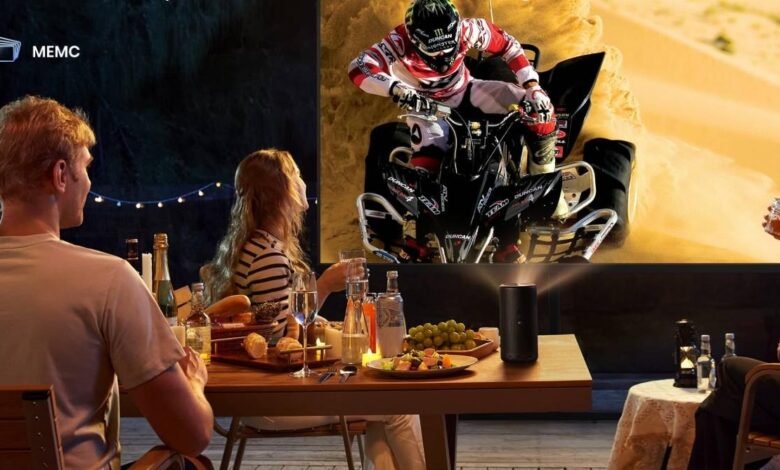
Portable projectors provide adaptable entertainment installations in flats, bedrooms, dorm rooms, and other small locations. Because portable projectors allow bigger screen experiences without permanent TV installations, many people use them for movies, gaming, presentations, and streaming. However, tiny venues may make screen size, projector positioning, lighting, and sound quality difficult. Contemporary portable projectors include Bluetooth connection, wireless streaming, and tiny designs for limited spaces. Understanding setup strategies improves picture quality and viewing comfort. Learning practical portable projector setup techniques helps customers build more efficient entertainment environments and improve long-term viewing performance in smaller rooms.


What Should You Prepare Before Setting Up a Portable Projector?
Choose the Best Projector Placement for Small Rooms
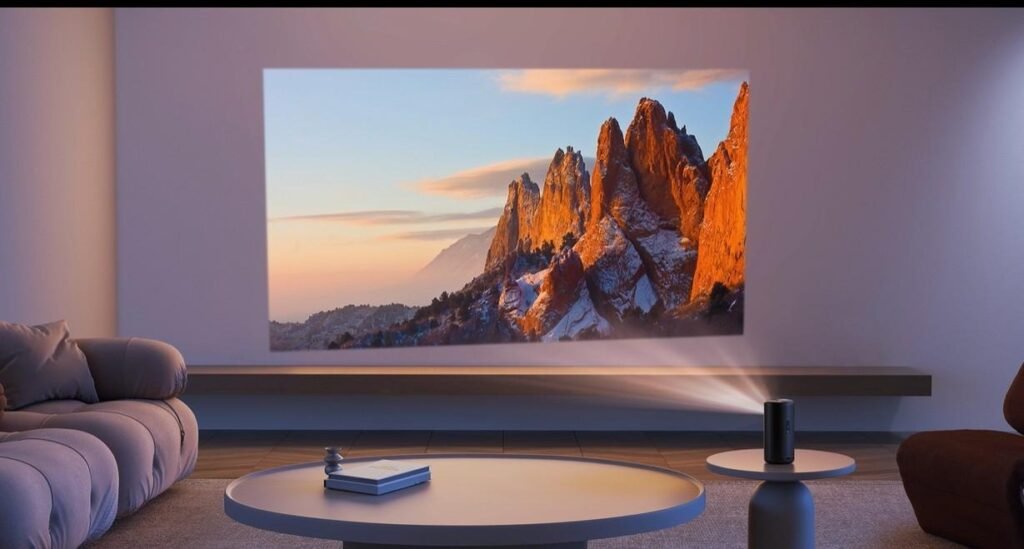
Projector location greatly impacts picture quality, viewing comfort, and enjoyment in smaller spaces. The projector should be placed on a sturdy platform with a clear route to the screen or wall and no furniture. Short-throw or ultra-short-throw projectors provide bigger pictures from shorter distances, making them ideal for small spaces. Proper positioning reduces keystone distortion and enhances playback picture alignment. Ceiling shelves, projector stands, and wall-mounted platforms may conserve space and increase viewing angles in small spaces. Avoid installing projectors near heat sources or poorly ventilated places. Image quality, setup issues, and consistent viewing comfort increase with proper projector orientation.
Adjust Screen Size, Throw Distance, and Viewing Angle
In smaller spaces, screen size and throw distance impact viewing quality and comfort. Oversized pictures might blur, strain eyes, or fill small areas during movies and games. To get a screen that fits the room and chairs, set the projector distance carefully. Viewing angle matters since inconvenient placement might limit picture visibility and uneven screen brightness. Many portable projectors provide keystone correction and focus adjustment to enhance alignment and picture clarity during setup. Buyers should try various screen sizes and viewing distances before placing the projector. Visual clarity, comfort, and amusement in small places are greatly improved by picture modification.
Control Room Lighting and Improve Image Visibility
Lighting conditions have a significant impact on the clarity and vibrancy of projected pictures in small spaces. Excessive ambient light may impair contrast, degrade colour performance, and reduce overall picture visibility throughout the day or in highly lit areas. When utilising portable projectors, users should use curtains, shades, or adjustable lights to block direct sunlight and harsh interior illumination. Darker room settings often increase black levels and result in more immersive viewing experiences during movie, gaming, and streaming sessions. Matte white walls or projector screens may increase picture brightness and colour accuracy when contrasted to uneven or reflecting surfaces. Managing room lighting intelligently allows portable projectors to dependably produce crisper pictures, higher contrast, and better overall viewing experience in tight spaces.
How Can You Improve Portable Projector Performance in Small Spaces?
Optimise Audio Quality with External Speakers or Bluetooth Audio
In wider or acoustically difficult environments, built-in projector speakers frequently function poorly. During movies, games, and streaming, external speakers or Bluetooth audio systems may increase conversation quality, bass response, and entertainment immersion. Compact Bluetooth speakers eliminate cable clutter and sound better than integrated projector speakers in small rooms. Proper speaker placement enhances audio balance and decreases echo and distortion in small spaces. Users should place speakers near where they sit for improved hearing without excessive noise. Before buying a projector, investigate audio connectivity choices. Strong external audio support improves entertainment quality and creates more immersive viewing experiences during daily portable projector use consistently.
Manage Cables, Power Sources, and Wireless Connectivity
Cable organisation and stable power connections help maintain cleaner and safer projector setups in smaller spaces. Poor cable management may create clutter, reduce available room space, and increase tripping risks around seating areas. Users should organise power cables, HDMI connections, and charging accessories carefully using clips, sleeves, or cable organisers. Wireless connectivity also improves convenience because Bluetooth and Wi-Fi streaming reduce the need for additional cables during entertainment sessions. Stable internet connections help prevent buffering or streaming interruptions while using smart projector features and media apps. Users should also verify nearby power outlet availability before choosing projector placement. Organised wiring and reliable wireless connectivity improve setup flexibility, reduce clutter, and support more efficient projector performance in compact entertainment spaces consistently.
Avoid Common Portable Projector Setup Mistakes
Many users in small spaces make preventable setup errors that impair projector performance. Poor projector placement may distort pictures, limit viewing angles, and make fan noise near seats. Long amusement sessions on oversized screens might degrade visual clarity and strain viewers’ eyes. Room illumination may substantially reduce brightness and image quality if ignored. Some users set projectors too near to walls or bookcases, reducing ventilation and risking overheating. Smart projector streaming may be affected by weak Wi-Fi connectivity. Avoiding these frequent setup errors improves picture quality, cooling efficiency, viewing comfort, and projector dependability over time in smaller entertainment spaces.
Conclusion
Portable projectors provide versatile entertainment options for movies, games, streaming, and presentations in small living areas. Proper setup procedures, such as proper projector positioning, regulated lighting, organised cable management, and optimised audio systems, significantly increase viewing quality and user experience. Before deciding on a projector system, buyers should consider room size, throw distance, wireless connection, and ventilation needs. Avoiding typical installation problems allows for sharper visuals, smoother streaming, and more consistent long-term projector performance. Understanding good portable projector setup methods enables users to create comfortable and immersive entertainment settings, even in tiny spaces. Careful setup preparation leads to consistently higher picture quality, more convenience, and more pleasurable daily viewing experiences.